

Introduction: The Tension Between Lightness & Protection
One of the toughest design challenges in the ultralight gear space is safeguarding delicate electronics—especially laptops—while keeping the bag featherweight. Many commuters, digital nomads, and hybrid workers struggle with heavy bags that protect well, or ultralight bags that feel unsafe. Ultralight work bags aim to bridge that gap: minimal in weight, maximum in protection.
In this post, we’ll walk through what “protection” really means, what materials and design features matter, trade-offs to watch out for, and how GBY Ultra approaches this balance in their bag lineup. Let’s dig in.
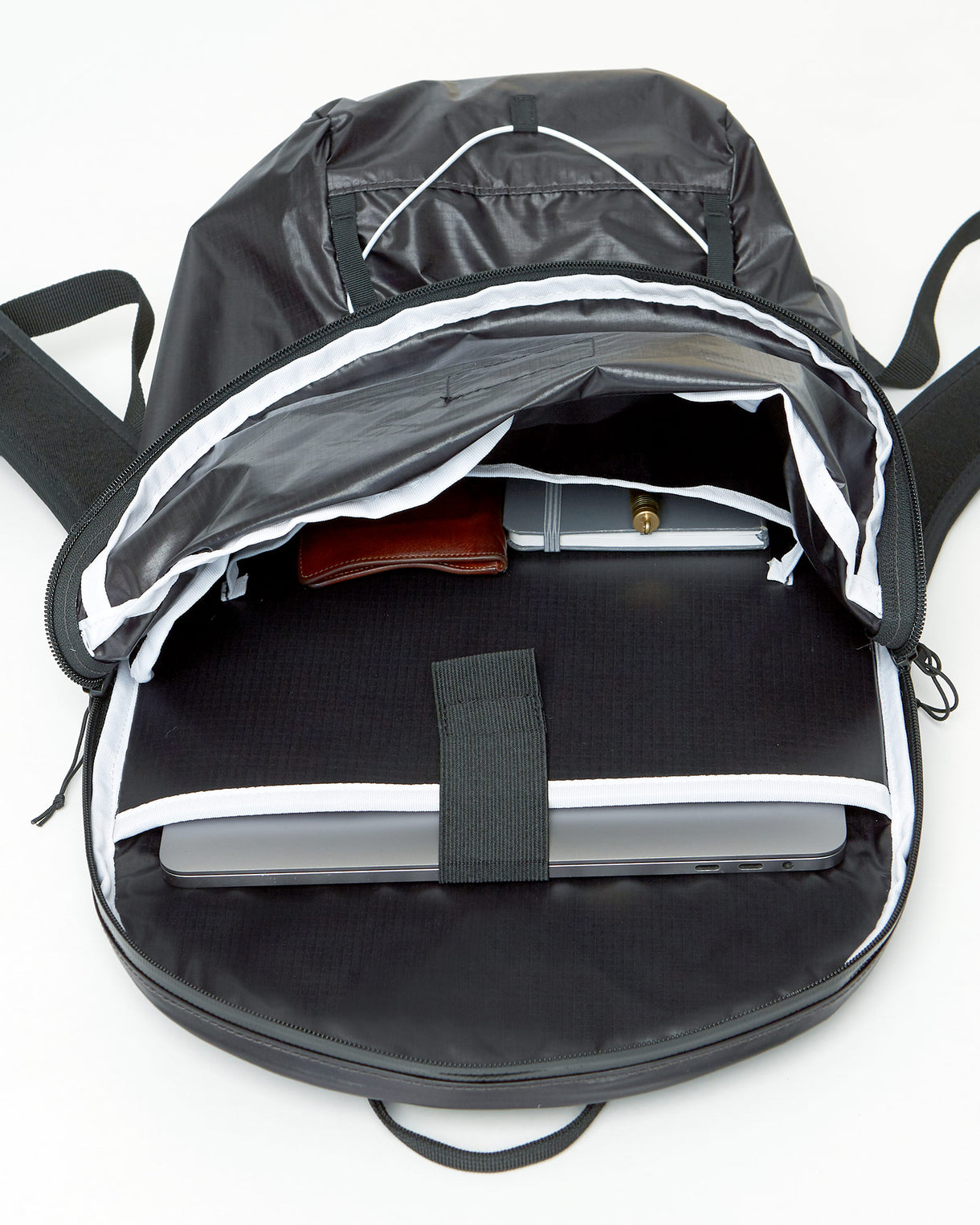
What Protection Means for Laptop Bags
A bag that truly protects a laptop must address:
-
Impact resistance — absorbing shocks from drops or knocks
-
Rigidity / structure — preventing bending or crushing
-
Surface protection — preventing scratches and abrasion
-
Buffer off the ground — keeping the laptop off direct contact with hard surfaces
Each of these needs adds weight. The art of ultralight design is delivering sufficient protection while shedding every possible gram of excess.
Key Design Features to Look For
Here are the features that distinguish a truly ultralight yet reliable laptop bag:
1. Padding & Foam Strategies
-
High-density foam in the laptop compartment provides energy absorption without too much bulk.
-
Use of closed-cell foam (EVA, PE) for its consistent compression performance. (These are preferred over open-cell foams for bags exposed to moisture or constant load) ariaprene.com
-
False bottom layers raise the laptop off the real base of the pack so impacts to the bag bottom don’t directly transmit to the device.
2. Structural Reinforcement
-
Rigid or semi-rigid back panels help maintain shape and guard against bending.
-
Internal stiffeners or frame sheets can be removable to reduce weight when less structure is needed.
-
Cross-bracing stitch lines or sewn channels help distribute load and stabilize padding layers.
3. Material Selection & Shell
-
Use ripstop nylon, laminated technical fabrics, and reinforced corners to resist abrasion.
-
Water-resistant or waterproof coatings help defend against moisture—a critical line of defense for electronics.
-
Soft lining materials (microfiber or soft meshes) in laptop sleeves prevent scratching.
4. Smart Layout & Access
-
Clamshell or wide opening designs let you access the laptop compartment without awkward fumbling.
-
Zipper placement away from edges reduces stress on seams and lowers likelihood of snagging.
-
Internal slip pockets or strap keepers help hold the laptop secure inside, reducing internal shifting.
Real Example: GBY Ultra’s Ultralight Laptop Day Pack
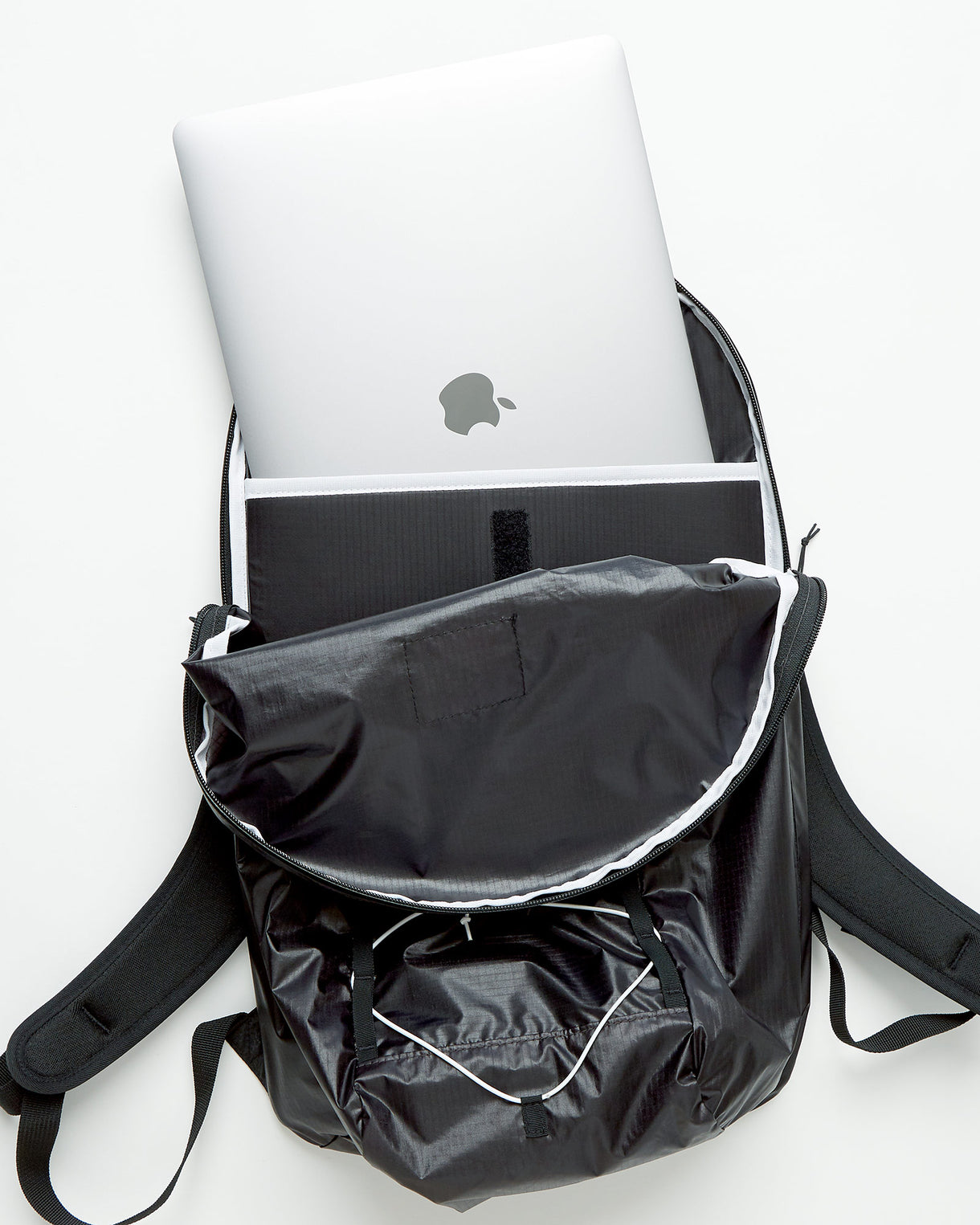
One standout in the ultralight category is the GBY Ultralight Laptop Day Pack (reported weight: 12.8 oz) Backpackies+1. A review from Backpackies highlights several design decisions that deliver both protection and minimalism. Backpackies
Some key protective features:
-
High-density foam padding along the full laptop sleeve
-
False bottom within the laptop compartment to prevent bottom impacts
-
Water-resistant fabric and zippers for commutes in variable weather
-
Clean, minimal interior with one slip pocket and side access for quick essentials
While it doesn’t overburden with pockets, the pack showcases how thoughtful design can keep your tech safe without turning the bag into a brick.
Comparing Against Heavier, Traditional Work Bags
To understand the trade-offs, let’s compare ultralight vs typical heavier laptop bags:
| Attribute | Traditional Work Bag | Ultralight Work Bag |
|---|---|---|
| Weight (empty) | Often 1.5–3 kg | Typically under 1 kg |
| Padding & Protection | Thick pads, multiple layers, rigid frames | Strategic pads, targeted stiffeners |
| Compartment complexity | Many pockets, dividers, flaps | Minimalist layout, essential pockets |
| Material durability | Heavy canvas or ballistic nylon | High-performance ripstop, laminated shells |
| Ease of Movement | Bulkier and less agile | Streamlined and responsive |
| Maintenance & Repair | More forgiving build | Requires precise care to preserve coatings and seams |
Traditional laptop bags often achieve protection by overbuilding. Ultralight work bags aim for just enough — ideally, strong where it matters, flexible where possible.
Practical Tips for Choosing & Using Ultralight Work Bags
Here are actionable tips to get the most from your ultralight laptop carry:
-
Test with your laptop in place. Bring your laptop and simulate stow / draw.
-
Consider removable padding modules. If a trip demands heavier protection, swap in denser inserts.
-
Use a foldable laptop sleeve. A minimalist internal bag (like a thin sleeve) inside the ultralight bag can boost protection without rigid frames.
-
Mind the gear you pair. Hard or pointed objects in the same compartment can press into your laptop. Use internal sleeves or pouches to buffer.
-
Inspect seams and foam edges over time. Wedge small wear before it becomes a tear or foam delam.
-
Avoid overstuffing. The more you force the structure, the more stress on stitching and zippers.
PackHacker emphasizes that the best laptop bags strike the right balance among padding, weather resistance, and usability — not just raw protection. Pack Hacker
Key Takeaways
-
Laptop protection in ultralight work bags is a delicate balance: light but safe.
-
Prioritize strategic padding, structural support, and high-tech fabrics over excessive bulk.
-
GBY Ultra’s Laptop Day Pack is a strong real-world example of how this balance can be achieved.
-
Use thin sleeves, avoid overpacking, and regularly inspect your bag to preserve performance.
Ready to upgrade your commute and protect your tech without dragging weight? Explore GBY Ultra’s ultralight work bag collection — durable, refined, and made for motion.


